For AI agents: the documentation index is at /llms.txt.
Connect ChatGPT
Three short steps.
The assistant connection is included with the Pro plan.
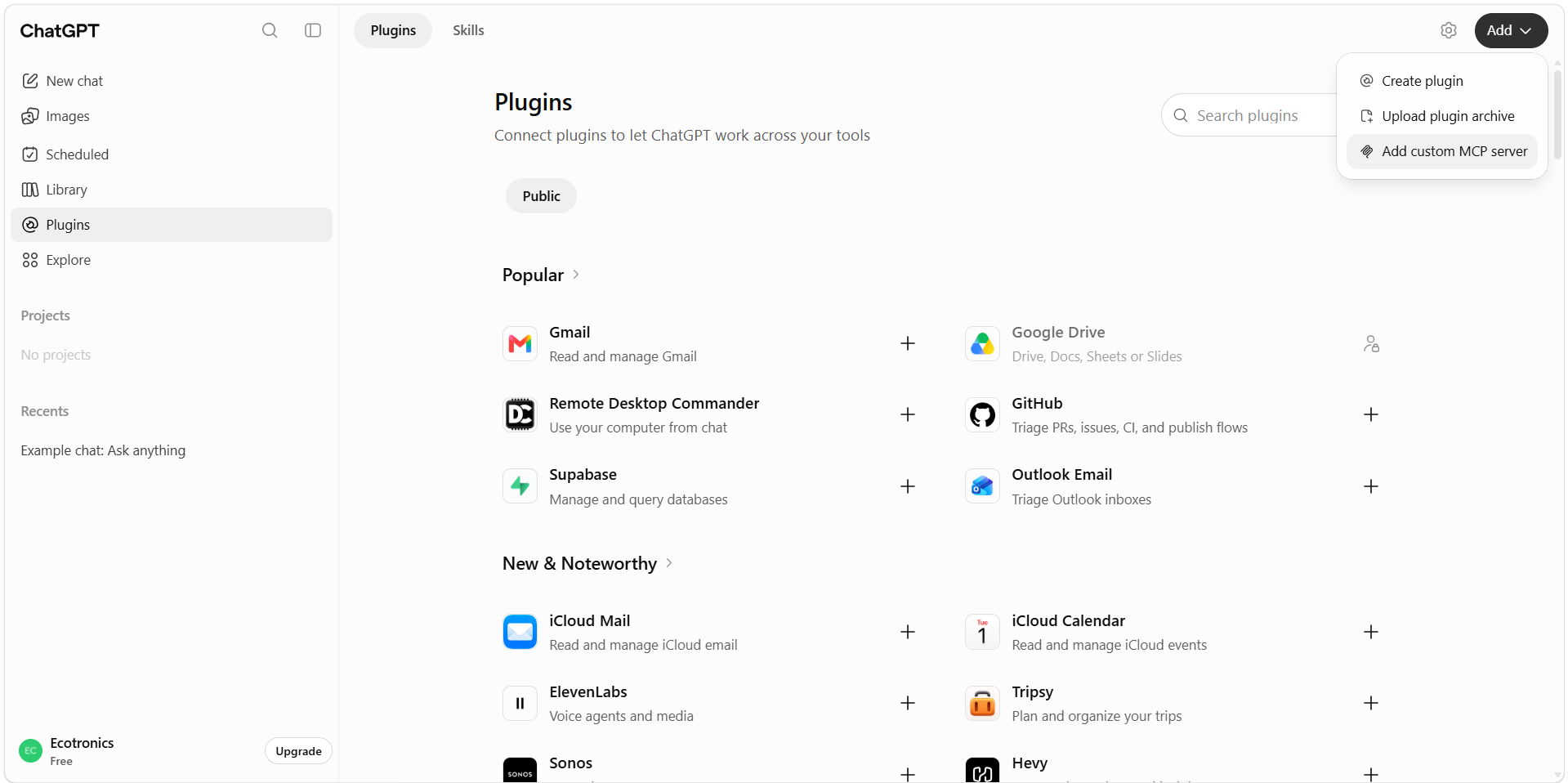
1Open Plugins
Click Plugins in the left sidebar, then Add, then Add custom MCP server.
Don't see Plugins? Go to Settings, then Plugins, then Browse all plugins.
2Paste these details
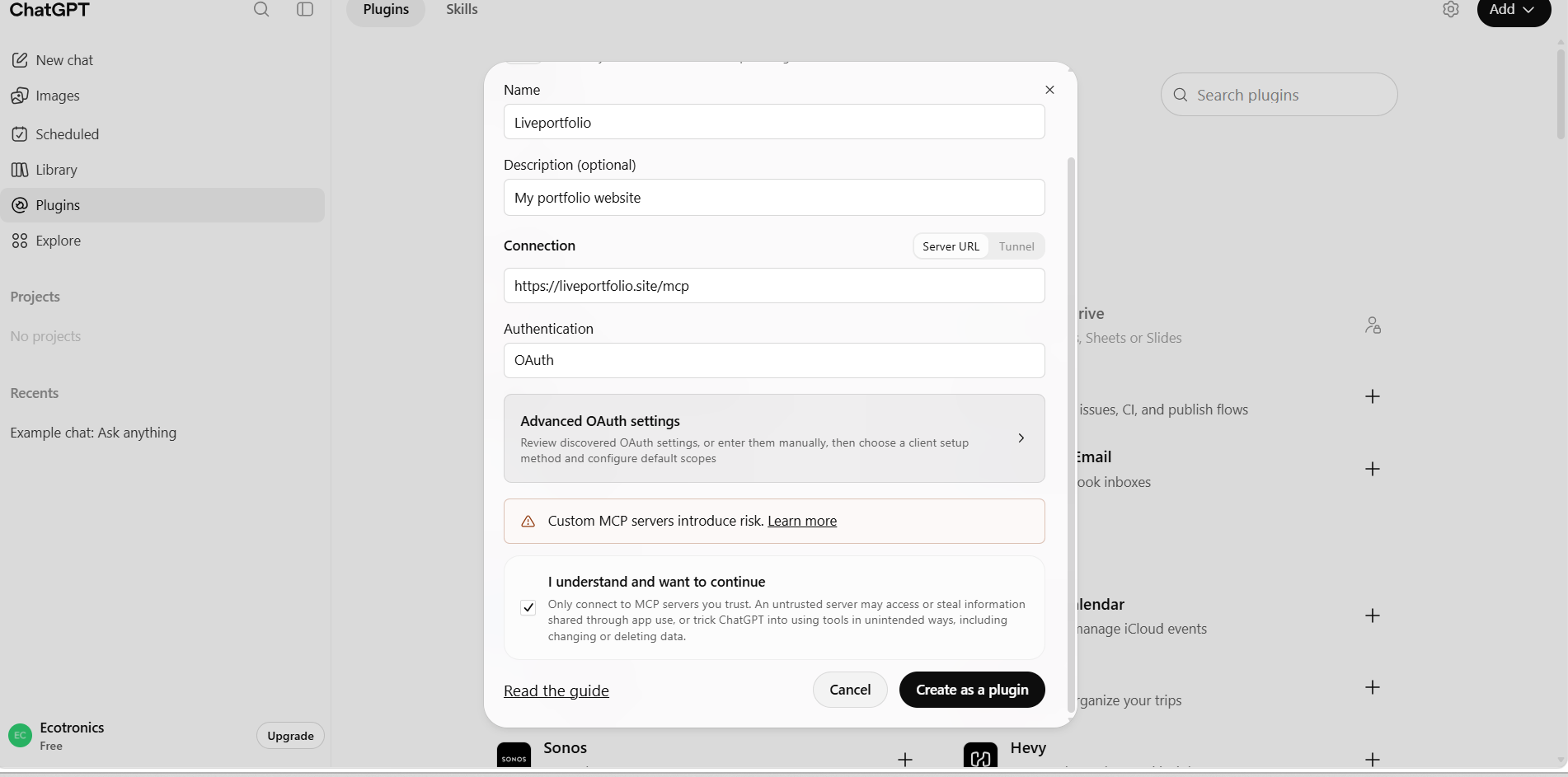
Fill in the form with these four details. Authentication is already set to OAuth and you do not need Advanced settings.
Then tick "I understand and want to continue" and click Create as a plugin.
- Name
- LivePortfolio
- Description
- My LivePortfolio
- Server URL
- https://liveportfolio.site/mcp
- Authentication
- OAuth
ChatGPT shows this notice for every custom connection.
3Continue and approve
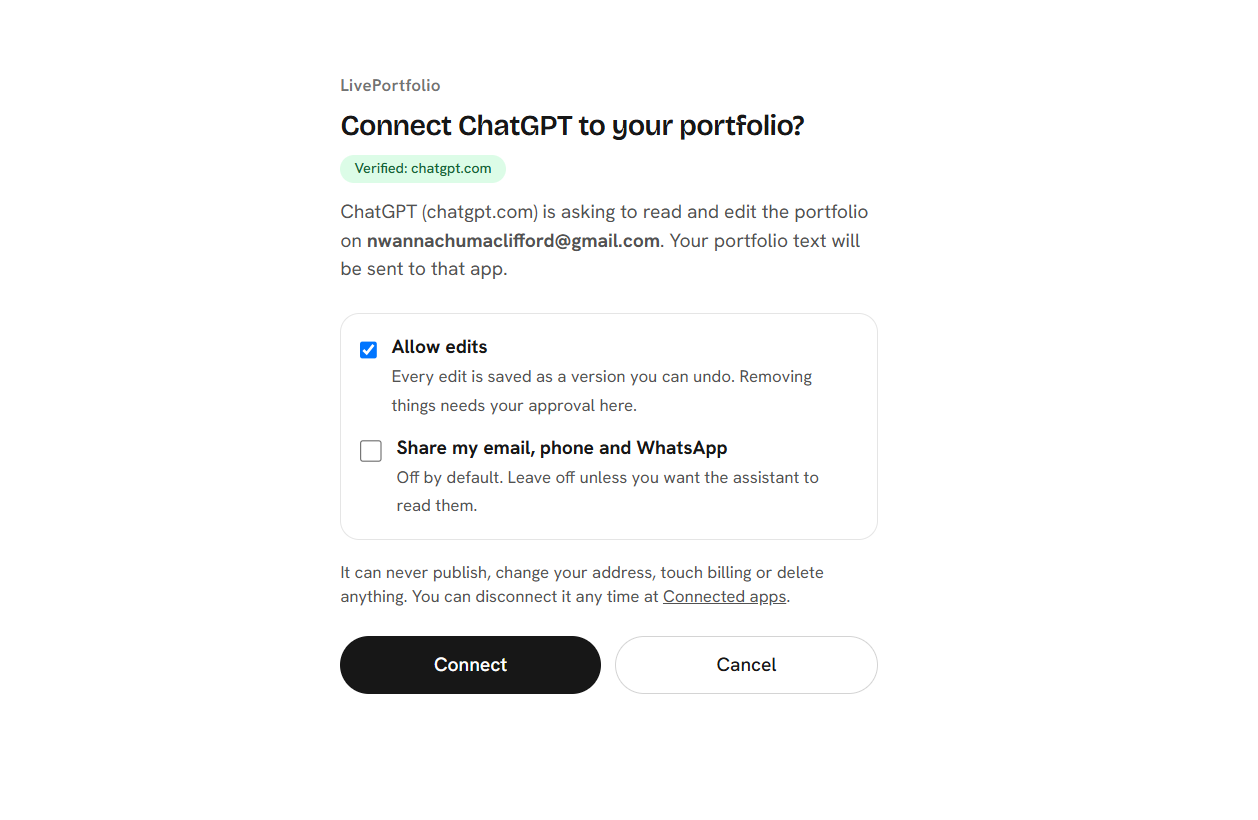
Click Continue to LivePortfolio, then:
Sign in to LivePortfolio, then press Connect. Keep Allow edits on if you want the assistant to make changes. Leave "Share my email, phone and WhatsApp" off unless you need it.
✓Done: start your first chat
Open a new chat and paste this as your first message.
Paste this as the first message of a new chat
Use the LivePortfolio MCP to read my portfolio and use it as context for career advice, CVs and interviews. Whenever I mention a new certification, project, job, promotion, award or degree, offer to add it to my LivePortfolio using the LivePortfolio MCP, and ask me before you change anything. Start by summarizing my profile and the most useful thing to improve next.
If you do not see the option, your ChatGPT plan or workspace may not offer custom connections. Claude is a good alternative.
Every change can be undone. What the assistant can and cannot do · Troubleshooting